How to Sell on WhatsApp in Ghana (2026 Complete Guide for Beginners)

Why WhatsApp Dominates Commerce in Ghana
Walk into any market in Accra, ask a seller how they take orders, and the answer is almost always WhatsApp. Not a website. Not Instagram DMs. WhatsApp. It is the app Ghanaians have open all day — for family, for friends, for work — and that familiarity is exactly what makes it such a powerful selling channel.
15M+ — Internet users in Ghana (Statista, 2025)
Unlike TikTok or Instagram, where customers discover you and then have to decide whether to click a link and navigate to a stranger’s website, WhatsApp feels personal. When a customer messages you, you are in their pocket alongside their contacts. That proximity builds trust faster than any ad campaign.
The challenge is that WhatsApp was not designed for commerce. It has no checkout. No payment system. No order history. Most sellers start by managing everything manually — screenshots, copied addresses, MoMo numbers sent back and forth — and hit a wall when orders start coming in volume. This guide will show you how to set up WhatsApp properly from the start, and how to upgrade your setup as you grow.
If you are still deciding what to sell, start with our guide on the best products to sell online in Ghana before building your WhatsApp presence. And if you want the full picture of running an online business in Ghana, read how to start an online shop in Ghana.
If you are weighing whether WhatsApp alone is enough or whether you need a proper payment and order system too, read our full breakdown of WhatsApp Business vs online store in Ghana.
Step 1 — Set Up WhatsApp Business
The first thing to do is separate your personal WhatsApp from your business one. Download the free WhatsApp Business app and register it with a dedicated SIM — ideally MTN, since your MoMo number is on the same line and customers can pay you directly. Using your personal number for business is a common mistake: you lose privacy, you cannot hand the account to a staff member, and it looks unprofessional.
- Download the WhatsApp Business app (free on Android and iOS).
- Register with your business SIM number.
- Fill in your Business Profile: business name, description, address, website URL, and business hours.
- Go to Settings > Business Tools > Greeting Message and write a welcome message that is sent automatically to every new contact who messages you. Example: “Hi! Welcome to [Your Shop]. What can I help you with today?”
- Set up an Away Message for outside business hours so customers know when to expect a reply.
- Create Quick Replies for the questions you get every day: “How do I order?”, “What’s your MoMo number?”, “Do you deliver to [location]?”. Quick Replies let you send a full, detailed answer with a single keystroke.
Your business profile is your storefront on WhatsApp. A complete profile — name, description, hours, website — immediately signals that you are a legitimate business, not someone selling from their personal phone.
Step 2 — Build Your Product Catalogue
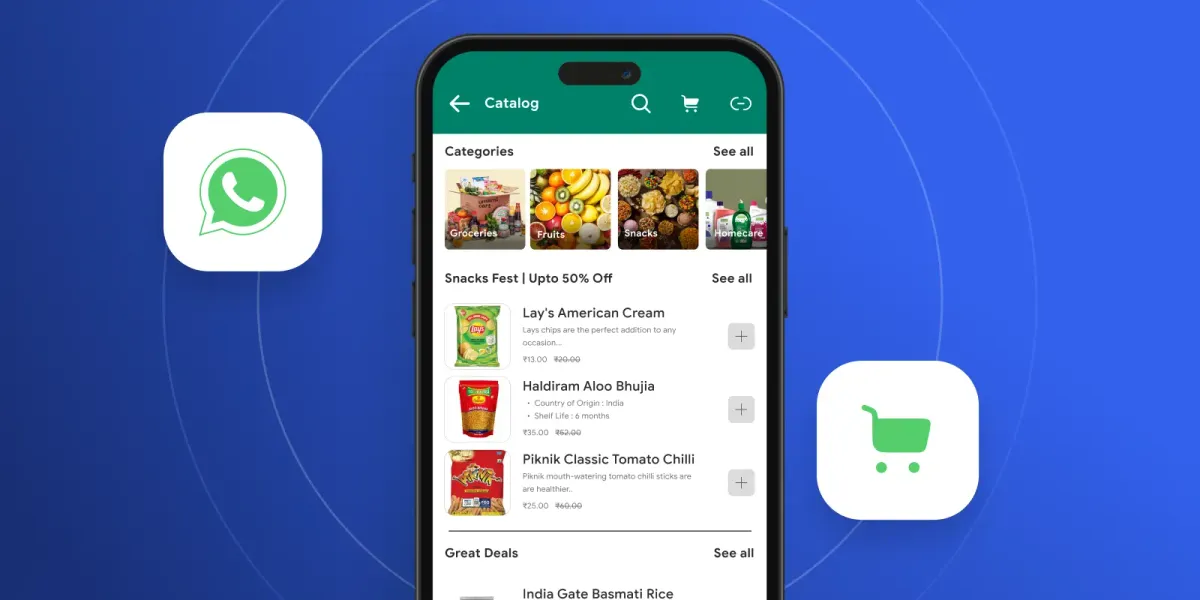
WhatsApp Business has a built-in Catalogue feature where you can list your products with photos, prices, and descriptions. Customers can browse it directly from your profile. It is a useful starting point, but it has a critical limitation: there is no checkout and no payment. Customers browse, then message you to order and pay.
A better approach is to list your products on a Nuanom store and share product links directly on WhatsApp. Each product on Nuanom has its own shareable link. When a customer clicks it, they see your full product listing and can pay by Mobile Money without messaging you for every step. You get a notification the moment the order is placed.
How to get your product links
In the Nuanom merchant app, open any product and tap the options icon at the top right of the product details screen. You will see options to copy the link, share it directly, or preview the listing exactly as a customer sees it. Copy the link and paste it into your WhatsApp message, your Status, or a WhatsApp group.
To share your entire store — useful when you want to send a customer somewhere they can browse everything — go to the Business tab in the app and tap the link displayed under your shop’s name. The same copy, share, and preview options appear.
You can start a free Nuanom store in minutes. Once your products are listed, you have shareable links ready to drop into any WhatsApp conversation.
What to include in every product message
- A clear photo — natural light, clean background. One good photo does more than five mediocre ones.
- The price — always include it. Customers who have to ask for the price often do not come back.
- A product link — for easy ordering without messaging back and forth.
- Availability — if stock is limited, say so. Scarcity drives decisions.
Step 3 — Use WhatsApp Status to Drive Sales
WhatsApp Status is the most underused free marketing tool available to Ghanaian sellers. Every contact who has your number saved can see your Status updates — and unlike Instagram or TikTok, they do not need to follow you, discover you, or have the algorithm surface your content. They already see it by default.
Your WhatsApp Status is the most underused free marketing tool in Ghana. Every contact you have already follows it — use it daily.
Post at least once a day. Treat it like a daily shop window: new arrivals, current promotions, sold-out warnings, restocks. The best times to post in Ghana are morning commute hours (7–9am), lunch (12–1pm), and evening (7–9pm), when people are on their phones and have time to browse.
What to post on WhatsApp Status
- New arrivals — post a photo or short video with the product, price, and a link to order.
- Flash sales — limited-time offers create urgency. “Today only — GHS 80 instead of GHS 120. Order here: [link]”
- Sold-out warnings — “Only 3 left in stock” is one of the most effective conversion triggers.
- Customer reactions — repost unboxing photos or messages from happy customers (with permission). Social proof builds confidence in new buyers.
- Behind-the-scenes — packing orders, new stock arriving, your workspace. These build a connection that product photos alone cannot.
Use video where possible. A 15-second clip of you trying on a dress or demonstrating a gadget will outperform a static photo on Status, just as it does on TikTok. If you are building a presence on both channels, read our guide on how to sell on TikTok in Ghana — the content you create for TikTok can be repurposed directly to WhatsApp Status.
To build a complete system that converts TikTok viewers into WhatsApp orders automatically — including setting up a WhatsApp AI to handle DMs while you post — read how to sell on TikTok in Ghana and get daily orders.
Step 4 — Manage Orders Without Losing Track
The first time you get 10 orders in a day through WhatsApp, it feels exciting. The thirtieth time, with orders buried across 30 different conversations, it feels overwhelming. WhatsApp was not designed to be an order management system, and trying to use it as one is where most sellers hit their first serious wall.
Using WhatsApp Business Labels
WhatsApp Business has a Labels feature that lets you colour-code conversations. Set up labels like New Order, Payment Received, Packed, and Delivered. Move each customer conversation through these labels as you process their order. It is a simple system but far better than trying to remember who paid and who did not from memory.
For a complete system that goes beyond labels — covering product links, automated payment confirmation, order lifecycle tracking, and the WhatsApp AI assistant — read our guide on how to track orders and customers on WhatsApp without stress.
The upgrade: a proper order system
When a customer pays through your Nuanom product link, an order is automatically created in your dashboard — with the customer’s name, delivery address, items ordered, and payment status. No manual entry. No missed orders buried in a chat.
Creating orders directly for WhatsApp customers
Not every customer will click your product link and pay on their own. Some will DM you, negotiate, and expect you to handle everything. For these customers, Nuanom lets you create an order on their behalf directly from the merchant app — the same way a POS works in a physical store.
- Go to the Orders tab in the Nuanom merchant app and tap the ‘+’ button at the top right.
- Tap Add products and search for the items the customer wants. Add them to the order. If the product has not been uploaded to your store yet, use the Collect payment option instead — enter the amount and a description without needing a full product listing.
- Apply a Discount if you agreed on a reduced price during the WhatsApp conversation.
- Set the delivery option. This tells Nuanom the order needs to be dispatched and moves it into your delivery queue once payment is confirmed.
- Choose how the customer will pay:
- Leave PAID DIRECT off (the default) — Nuanom sends the customer an SMS and email with a payment link. The order sits as UNPAID under Orders › POS until they pay. The customer has 3 hours to complete payment before the order is automatically cancelled. Once they pay, you get a notification, the order moves to NEW under Orders › To Deliver, and the customer receives an SMS/email confirmation.
- Toggle PAID DIRECT on — for cash-on-delivery or when the customer will pay another way. Nuanom sends them a link with their order receipt and the order is marked COMPLETED immediately. Use this for regular customers you trust or for arrangements you’ve already confirmed in chat.
No MoMo numbers exchanged in chat. No payment screenshot to verify. You create the order in under a minute, Nuanom handles the payment collection, and the order lands in your delivery queue ready to dispatch. When the order is packed and sent, mark it COMPLETED — the customer gets a receipt via SMS and email automatically.
Add a WhatsApp AI Assistant and the system handles the entire order conversation automatically. Customers message asking about a product, the AI answers. They want to order, the AI sends the payment link. They have a question about delivery, the AI updates them. You check your dashboard in the morning and see every order that came in overnight.
Step 5 — Get Paid with Mobile Money
Most Ghanaian WhatsApp sellers collect payment the same way: share your MoMo number, customer sends money, you confirm the screenshot, you pack and ship. It works, but it breaks down fast. You have to manually verify every payment. Customers send to the wrong number. Screenshots get lost in conversations. When you are processing 20 orders a day, the back-and-forth becomes a full-time job on its own.
GHS 4.54T — Mobile Money transactions in Ghana in 2025 (Bank of Ghana)
With Nuanom, there are two clean ways to collect payment — both work over WhatsApp, both confirm automatically.
Option 1 — Send a product link, customer pays themselves
Copy a product link from the Nuanom merchant app and send it to the customer in WhatsApp. They open the link, see the product, and pay by MTN MoMo, Vodafone Cash, or AirtelTigo Money. The order is created the moment payment goes through. You get a notification. No screenshots, no manual verification.
Option 2 — Create the order, Nuanom sends them the payment link
When a customer DMs you to order, create the order in the Nuanom merchant app (Orders tab › ‘+’ › add products › set delivery). Leave PAID DIRECT off. Nuanom sends the customer an SMS and email with a payment link — they pay via Mobile Money from wherever they are, the order moves into your delivery queue, and you both get confirmations. The customer has 3 hours to pay before the order is automatically cancelled.
Nuanom supports MTN MoMo, Vodafone Cash, and AirtelTigo Money out of the box on both paths. To understand why Mobile Money is the only payment rail that matters in Ghana, read the history of mobile money in Ghana — from 20,000 users in 2009 to GHS 4.54 trillion in annual transactions today.
Automate Your Sales with a WhatsApp AI Assistant
At some point, the volume of WhatsApp messages becomes more than you can handle alone. A customer messages at 11pm asking if you have a dress in size 14. Another one wants to know the delivery time to Kumasi. A third is asking for the MoMo number again. Answering all of these manually, around the clock, is not a business — it is a second job.
A WhatsApp AI Assistant handles all of this automatically. It knows your product catalogue, your prices, your stock levels, and your delivery areas — because it is connected directly to your Nuanom store. When a customer asks “do you have this in red?”, the AI checks your store and answers accurately. When they want to order, the AI sends the payment link. When they want to know where their order is, the AI checks and updates them.
The practical result: you wake up in the morning to paid orders that came in while you slept. Customers who messaged at midnight got a real answer in seconds, not eight hours later. And your time during the day goes toward growing the business, not answering the same five questions over and over.
Pair this with a branded mobile app for your best customers and you have a complete customer retention system: WhatsApp brings them in, the app keeps them coming back through push notifications for new products and restocks.
Common Mistakes to Avoid
- Selling from your personal WhatsApp number — you lose privacy, and you cannot hand the account to staff later. Use a dedicated business SIM from day one.
- No greeting or away message — a customer who messages you outside hours and gets silence often does not come back. An automated away message tells them when you will reply and keeps the conversation alive.
- Not posting on WhatsApp Status — every contact already follows your Status by default. Ignoring this is leaving free daily reach on the table.
- Replying to messages hours later — WhatsApp buyers are often deciding between two sellers. The one who replies in minutes gets the order. If you cannot respond quickly, set up a WhatsApp AI Assistant to handle enquiries instantly.
- No payment link — just your MoMo number — sending your MoMo number for every order is manual, error-prone, and unscalable. A product link with built-in payment takes 30 seconds to set up and eliminates the entire payment verification step.
- Managing orders inside WhatsApp chat — at more than 10 orders a day, orders will get lost in conversations. Use a proper order management system from the start, not when you are already overwhelmed.
- Using GB WhatsApp or blasting strangers — modified apps, bulk broadcasts and messaging people who didn’t ask to hear from you are common reasons business numbers get banned. See how to avoid a WhatsApp ban for your business.
WhatsApp will remain Ghana’s biggest commerce communication channel for the foreseeable future. The sellers who win are the ones who treat it seriously: a dedicated business number, a daily Status presence, a proper payment system, and the tools to handle volume without burning out.
Ready to build on top of your WhatsApp channel? Start a free Nuanom store and connect it to your WhatsApp in minutes — product links, Mobile Money payments, and automated order management all included.
Frequently asked questions
Is WhatsApp Business free to use in Ghana?
Yes. WhatsApp Business is completely free to download and use. It gives you a business profile, product catalogue, automated messages, quick replies, and labels at no cost. The WhatsApp Business API — used by larger businesses for high-volume messaging — does have costs, but the free WhatsApp Business app is more than enough for most Ghanaian sellers starting out.
Can I sell on WhatsApp without an online store?
Yes, and many Ghanaian sellers start this way. You share product photos on WhatsApp Status, customers message to order, you collect payment via Mobile Money, and you deliver. The limitation is that it does not scale — tracking 50 orders in WhatsApp chats is extremely difficult. As you grow, adding a Nuanom store gives you a proper checkout, automated order confirmation, and delivery management alongside your WhatsApp presence.
How do I accept Mobile Money payments from WhatsApp customers?
The basic approach is to share your Mobile Money number with the customer and ask them to send payment, then confirm manually. The better approach is to send customers a product link from your Nuanom store where they can pay by MTN MoMo, Vodafone Cash, or AirtelTigo Money directly — no back-and-forth needed. Payment is confirmed automatically and the order is created in your system.
What is a WhatsApp AI Assistant and do I need one?
A WhatsApp AI Assistant is software that handles incoming WhatsApp messages automatically — answering product questions, sending order links, confirming payments, and updating customers on delivery status. You need one when customer enquiries start taking more time than running your business. For sellers receiving more than 20 messages a day, a WhatsApp AI Assistant can effectively give you a 24/7 sales assistant at a fraction of the cost of hiring staff.
Can I broadcast messages to all my customers at once on WhatsApp?
Yes. WhatsApp Business has a Broadcast Lists feature that lets you send a message to up to 256 contacts at once. Customers receive the message as a private chat — not a group — and can reply directly. For broadcasts to work, recipients must have your number saved in their contacts. WhatsApp Status is a better daily reach tool: every contact sees your status without you needing to send individual messages.
Should I use a separate number for WhatsApp Business selling?
Yes. Use a dedicated SIM for your business WhatsApp. This keeps your personal and business messages separate, allows you to hand the account to a staff member later, and presents a more professional image. Many Ghanaian sellers use an MTN number for business since it also doubles as their MoMo number for receiving payments.
How do I get more customers on WhatsApp in Ghana?
The fastest way is to add a WhatsApp click-to-chat link everywhere: your TikTok bio, Instagram bio, Facebook page, your Nuanom store, and any printed material. Post consistently on WhatsApp Status — every contact you have already follows your status by default, which is free daily reach. Ask happy customers to save your number and share your contact with their friends. Word of mouth on WhatsApp spreads faster in Ghana than almost any other channel.

Related